Traffic Rider for iOS: Download Guide for iPhone and iPad
Traffic Rider is one of the best-known motorcycle racing games on mobile, and it plays well on Apple devices. Traffic Rider for iOS is free on the App Store with optional in-app purchases, which means most players can be riding in a few minutes. This guide covers how to download the game on iPhone and iPad, what to check before you install, how the official version compares with a modified IPA, which controls and settings work best, and how to fix the most common problems.
Traffic Rider for iOS at a Glance
| Game | Traffic Rider |
| Developer | Skgames Yazilim Muhendislik Teknoloji Ltd. Sti. |
| Platform | iPhone and iPad |
| Official source | Apple App Store |
| Price | Free, with in-app purchases |
| Age rating | 4+ |
| Game Center | Supported |
| Minimum iOS version | [check the current App Store listing] |
| App size | [check the current App Store listing] |
Is Traffic Rider Available for iPhone and iPad?
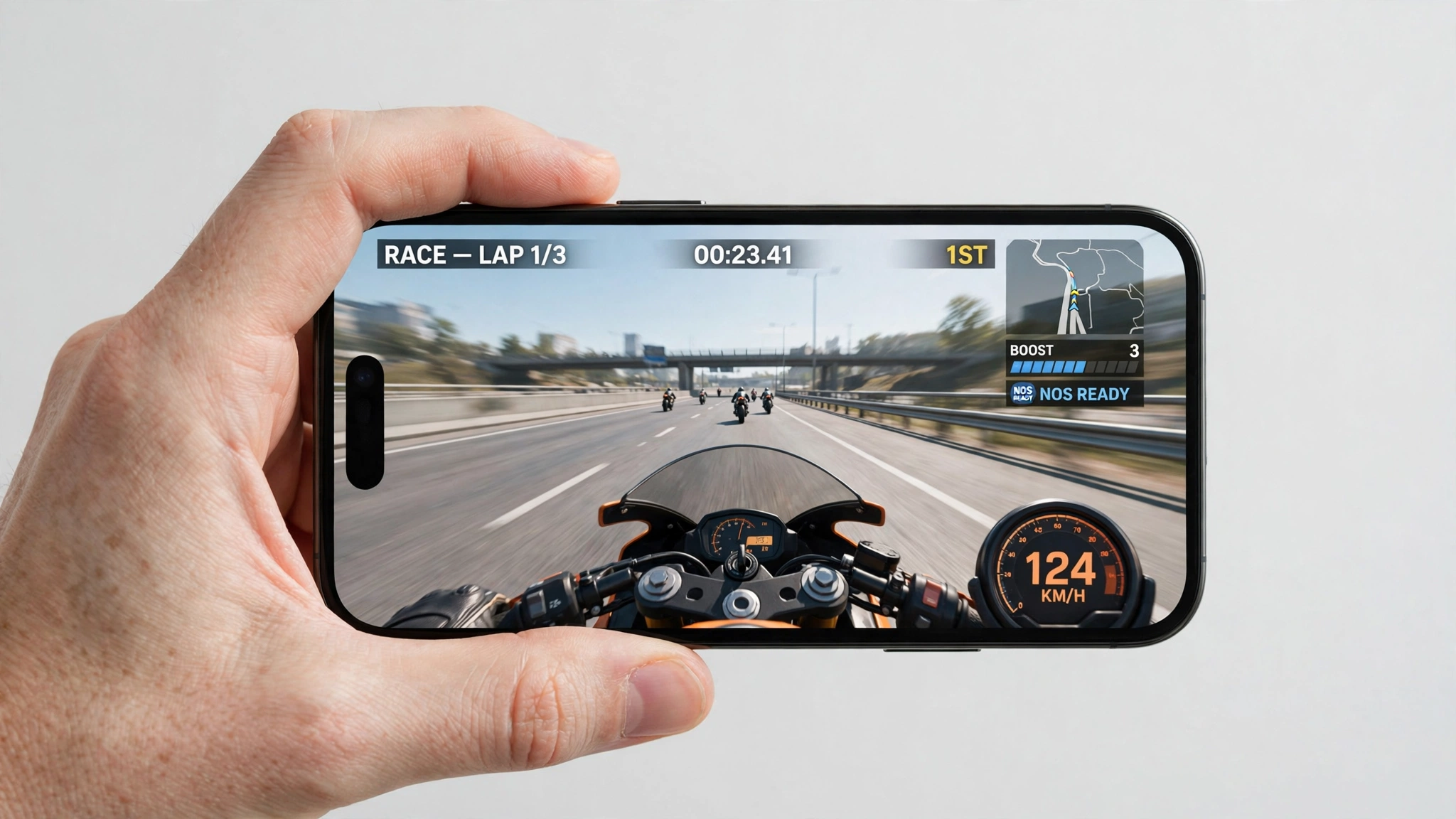
Yes. The official game is on the App Store for both iPhone and iPad. You ride a motorcycle through busy highway traffic from a first-person view, earn cash for close overtakes, and spend it on new bikes and upgrades. The listing describes the game as having no timers and no fuel, so you can play as long as you like.
The free version includes ads and optional purchases such as cash packs, gold, and an ad-removal upgrade. Players who dislike the grind sometimes look for modified builds, which is covered further down. First, an important point: an APK is an Android package. It cannot be installed on an iPhone or iPad, and renaming an APK to IPA does not convert it.
Traffic Rider for iOS: Official App Store Version or Modified IPA?
Official App Store version
The simplest and lowest-risk choice. It installs in a few taps, updates automatically, and supports Game Center. The trade-offs are ads and the slower pace of earning cash without purchases.
Modified IPA
A modified IPA is an unofficial copy of the iOS app that someone has altered, usually to change money, unlocks, or ads. It is not distributed through Apple, it has to be signed before iOS will open it, and it can stop working when its signing certificate expires or is revoked. Nobody can promise that a third-party file is safe.
Android APK
Not compatible with iOS. If you are on Android, use the Android guide instead.
Which should you pick? — Pick the App Store version for convenience, automatic updates, and the least risk. Consider a modified IPA only if you understand sideloading, certificate limits, and the need to verify every file you download.
iOS Compatibility and Requirements
Traffic Rider for iOS is built for iPhone and iPad, but the minimum supported iOS version has changed over the years. Open the game’s App Store page and read the Compatibility section to see what applies today.
Supported software
Check your version in Settings, then General, then About. If it is lower than the version the App Store lists, update iOS first or the Get button will not install the game.
Free storage
Keep at least 1 GB free as a practical buffer. Updates and saved progress need room on top of the app itself, and low storage is a common cause of crashes.
Stable connection
Use reliable Wi-Fi for the download. Several modes can be played offline after installation, but leaderboards and other connected features need internet.
| Check | What to do |
|---|---|
| Device | iPhone or iPad running a supported iOS version |
| Battery | 30 percent or more before installing |
| Storage | At least 1 GB free |
| Backup | Back up important data before any manual installation |
| Apple ID | Never enter your password into unknown installers or sites |
How to Download Traffic Rider for iOS From the App Store
- Open the App Store on your iPhone or iPad.
- Search for Traffic Rider by Skgames.
- Tap Get, then confirm with Face ID, Touch ID, or your Apple Account password.
- Wait for the installation to finish, then open the game.
- Review the control options before your first run.
If you have trouble, Apple’s support site has an official guide to downloading apps on iPhone and iPad.
Installing a Modified IPA: What You Should Know
iOS does not install an IPA the way Android installs an APK. The file must be signed for your device, and the steps depend on your iOS version and the signing tool you use. Follow that tool’s own official instructions rather than steps from a random page.
- Download only from a source you trust and check the filename and size.
- Scan the file if your device or computer allows it.
- Do not install unknown configuration profiles.
- Do not enter your Apple Account password on any site or installer you do not recognize.
- Expect the app to stop opening if the signing certificate expires. That is a signing problem, not always a broken game.
- Back up your device first, because manual builds may use separate local data.
Traffic Rider for iOS Game Features
Traffic Rider keeps the simple arcade formula that makes short races satisfying. The first-person camera shows gaps in traffic clearly, while tilt and touch inputs make small movements matter.
First-person riding
The handlebar view keeps speed, traffic, and lane position in front of you. It works especially well on the larger display of an iPad.
Real motorcycle sounds
The official listing highlights engine audio recorded from real bikes. Sound makes speed changes easier to judge, so headphones help, as long as the volume stays at a safe level.
Day and night roads
Lighting changes affect visibility. Night runs reward careful scanning, and a lower graphics setting can help older devices keep a steady frame rate.
Leaderboards and languages
Online leaderboards and achievements give you a reason to replay missions, and the game supports many languages.
Game Modes Explained
Career mode
The main structured path. Missions set goals such as distance, speed, overtakes, or time limits, and they get tougher as you progress.
Endless mode
Ride for distance and score with no finish line. One-way traffic is easier to learn, while two-way traffic offers bigger rewards at higher risk.
Time Trial
Build score before the timer runs out. Smooth lines beat constant risky movement.
Free Ride
The best place to test tilt sensitivity, braking response, and upgrades without mission pressure.
Traffic Rider for iOS Controls and Settings
Set up stable controls before chasing top speed. A small change in sensitivity can stop you overcorrecting when you pass between vehicles.
Calibrate tilt
Hold the device the way you normally play before each run. If steering feels nervous, lower sensitivity one step and test again in Free Ride.
Brake early
Brake before the gap closes. Late braking is hard to recover from, because touch input and device movement happen together.
Tune graphics for stability
Use the highest setting that stays smooth. Steady frame pacing helps close overtakes more than a sharper picture that stutters.
Manage heat and battery
Take off a thick case if the phone gets hot, close heavy background apps, and avoid long sessions while charging.
Gameplay Tips to Earn More Cash
- Learn one-way traffic first. Consistent finishes earn more than frequent crashes.
- Overtake closely above 100 km/h. The official description says close passes at that speed earn bonus score and cash.
- Drive in the opposite direction on two-way roads. It gives extra score and cash, but only when the road ahead is clear.
- Try wheelies for extra score and cash once you are comfortable with the controls.
- Upgrade handling and brakes. Power is tempting, but control makes hard missions repeatable.
- Avoid unnecessary lane changes. Every extra movement is another chance to collide.
- Replay missions you can finish reliably instead of forcing a mission your bike cannot handle.
Common Traffic Rider for iOS Problems and Fixes
App will not install
Check your iOS version, free storage, and Apple Account. For an IPA, an unsigned file cannot be installed directly.
App opens, then closes
For sideloaded apps, an expired or revoked certificate is the usual cause. For the App Store version, restart the device and update iOS.
Untrusted developer message
Only trust a developer profile if you recognize the signing source and the app. If the profile is unfamiliar, remove the app instead of approving it.
Controls feel too sensitive
Lower sensitivity, recalibrate your holding position, and test in Free Ride. Turn off screen rotation if it interrupts play.
Lag or overheating
Reduce graphics quality, close background apps, restart the device, and pause play until it cools down.
Progress missing after reinstalling
Local progress can be lost when the app is deleted. Keep Game Center and device backups up to date, and do not assume progress moves between the official and modified versions.
Is Traffic Rider for iOS Safe?
The official App Store version is the safe default, because Apple distributes it and updates arrive through the store. Modified files are different. They come from third parties, and a file that was clean once can be replaced by a different one later.
- Install from the App Store when you want automatic updates and the lowest risk.
- Check the filename and size of any IPA before signing it.
- Avoid sites that ask for your Apple Account password.
- Keep iOS up to date.
- Delete anything that behaves unexpectedly or asks for access it should not need.
Frequently Asked Questions
Is Traffic Rider available for iPhone and iPad?
Yes. The official app is free on the App Store, with optional in-app purchases.
What iOS version does Traffic Rider need?
It depends on the current release. Read the Compatibility section on the App Store page before installing.
Can I install a Traffic Rider APK on iPhone?
No. APK is the Android package format, and renaming it does not make it work on iOS.
Is there a Traffic Rider for iOS mod?
Modified IPA files exist, but they are unofficial, need signing, and can stop working when certificates expire. The official version is the safer option.
Why does a sideloaded app stop opening?
Manually installed apps depend on a valid signature. If the certificate expires or is revoked, iOS may refuse to open the app until it is signed again.
Can I play offline?
Several modes can be played without a connection after installation. Leaderboards, updates, and online features need internet.
Does it support iPad?
Yes, the game runs on iPad, and the bigger screen can make traffic easier to read, though tilt controls may feel different on a heavier device.
How do I fix lag or overheating?
Lower graphics quality, close background apps, restart the device, keep storage free, and let a hot device cool before playing again.
Final Verdict on Traffic Rider for iOS
Traffic Rider holds up well on iPhone and iPad thanks to its first-person view, recorded bike sounds, career missions, and quick controls. For most players the App Store release is the right choice: it is simple, updated automatically, and carries the least risk. If you still want a modified build, treat it as an unofficial extra, verify the file, and be ready for signing problems.